Here’s my beautiful unemployed-for-too-long-have-no-money-dont-care-about-looks lab :)

Hey it’s more than good enough to run all this ¯_(ツ)_/¯

Not going to lie, I got excited for the first half of that sentance.
I read “Alright let’s see pictures of your super nice rack”
And then I clicked before bothering to read the rest of the sentence.
Was not disappointed though.

It’s a work in progress!the hardrive just out in the wild, living life like it was meant to be lived.
What are its natural predators?
Cats and very young humans
gravity
beverages
drunk sysadmins
Spill your beer on it and get all three in one go!
Keys, paperclips and coins… they kinda work their way towards the PCB and short out crtitical things
In a walk-in closet. Hdd laying on power cable to reduce vibration, works unexpectedly good.


I used to have a random server box. This past year my hobby has been CAD work and 3D printing to turn a bunch of mini PCs into a fully remote controlled cluster, complete with a DIY IPMI KVM and custom built outlets that are controllable for power cycling (hard wired, not radio smart outlets). It’s all self-contained with a single plug to the UPS.
I plan on releasing all my models/etc as I usually do on my site when everything is finished.
I will say, I don’t miss the dusty box 😄
Edit: And yes, I color coded cables from each system. ¯\(ツ)/¯


My literal tech stack:
HP Prodesk and NUC i3: Proxmox hosts
NUC i5: Debian server (primarily docker server)
uGreen NAS: TrueNAS NFS-Storage for proxmox host (connected via 2.5G NIC)
RaspberryPi4 (NES case): docker host for pihole (so I don’t take out my whole DNS access when doing maintenance…)
White sandwich at the botom: HPE Aruba 1930 24G PoE switchAll stacked on my PC (Win11, Ryzen 5 7800X3D, 16GB RAM, RTX 3070)
Edit: Power is stable enough to not need a UPS. In fact I had never experienced a power outage at home.
The home server under my desk. Very professional, as you can see.

Buco seems to be having a good time. 9/10, unsure how Eaton feels.
The Eaton unit is a UPS that’s connected to the whole setup. It works really well, I can recommend it.
Oooh that’s neat.

Also late, but here is mine.
From the bottom up:
- An old pc I built forever ago for live streaming when I used to run my youtube channel. It’s an i7 something or other with 32gb ram and a 32 tb raid (4x8).
- m1 Mac mini
- HP elitedesk 800 G3 mini
- two HP elitedesk 800 G3 sff
- Deku
- dumb network switch
- rpi 4 8gb
And here’s what’s running:
- Bottom pc is the nas
- Mac running jellyfin
- the hps running:
- navidrome
- aonsuku (pretty navidrome frontend)
- audiobookshelf
- qbittorrent
- gluetun
- vikunja
- radicale
- Joplin
- matrix
- local backup for critical data
- some other things I’m forgetting
- The rpi is my wireguard tunnel to ssh in on the rare occasion I need remote ssh access.
Neat, very nice! I just got some new machines, I need to learn how to get one of my VPNs set up with gluetun and qbittorrent so I can stop doing on my windows machine and leave it going all the time…
Thanks!!
I found it to be pretty easy to get gluetun & qbittorrent set up. I’m running it all in docker, be happy to share my compose files if you’d like.
That would be very helpful for me, thank you so much! I am VERY new to docker, but managed to get something difficult up and running with it (a modded game server) with a lotttt of trial and error. I imagine it’ll be a lot easier to get something much less specific going!
You’re welcome! I’m out rn, I’ll share the files when I get home.

What’s that web interface thing? Is it home made? I keep thinking about doing something like that to save me having to remember port numbers for the different services on my home server.
It’s just heimdall.
Projects that im running:
General Web server out of junk
Old system 76 machine from a while back. Its what is running a majority of my services for self hosting. Only one screw keeps the case together, since I get into the insides quite often.
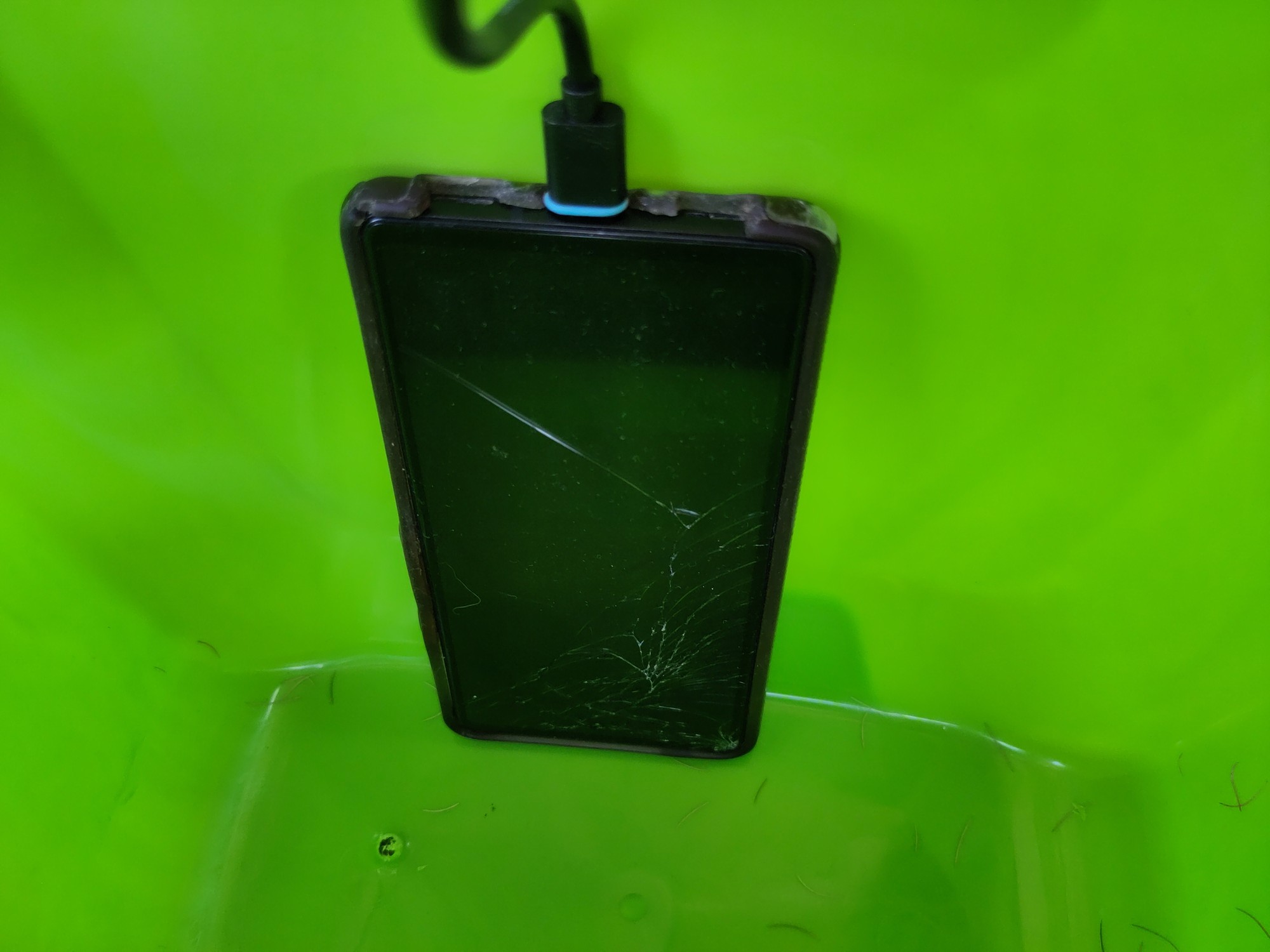
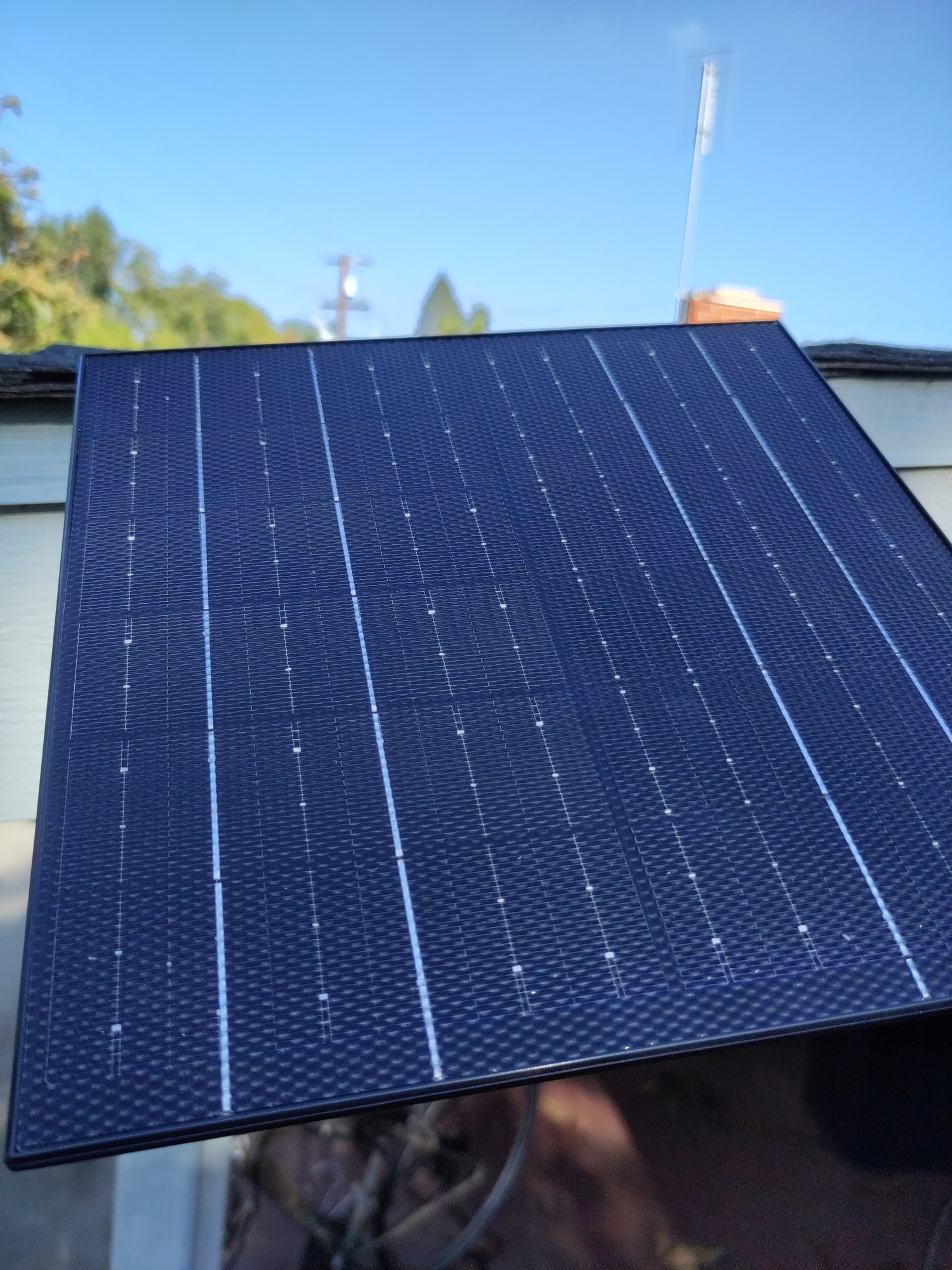
Solar powered web server on a phone
Solar powered web server. Its going to be repurposed into a meshtastic node soon.
Ebook reader on a heltek v3
Somewhat jank setup of a heltek which is also an ebook reader. It runs a webserver to upload the book in txt format, then I can take it on the go. I still have to do some work on the text.

Old system 76 machine from a while back. Its what is running a majority of my services for self hosting. Only one screw keeps the case together, since I get into the insides quite often.
If you get bored and adventurous:
https://en.wikipedia.org/wiki/Computer_case_screws
Computer case screws are the hardware used to secure parts of a PC to the case. Although there are numerous manufacturers of computer cases, they have generally used three thread sizes.
The #6-32 UNC screws are often found on 3.5" hard disk drives and the case’s body to secure the covers. The M3 threaded holes are often found on 5.25" optical disc drives, 3.5" floppy drives, and 2.5" drives. Motherboards and other circuit boards often use a #6-32 UNC standoff. #4-40 UNC thumb screws are often found on the ends of DVI, VGA, serial and parallel connectors.
You might be able to get a box of thumbscrews in the appropriate diameter and go toolless. I’ve had a number of computer cases that ship with those (my current desktop case just uses magnets, doesn’t even have the thumbscrews). I have had a lot of less-than-ideal toolless things in the past, including poorly-designed toolless hard drive mounting stuff that wound up being a lot more work than the traditional tool-requiring stuff, but for the screws that keep the case closed, going toolless has always been a big win for me.
Thats good to know! Although if I am honest, ill probably just repurpose my current desktop that I am using for this conversation and get a new one if I end up re-doing my homeservers again.
Last thing I want to do is more work at home. So these are just “for fun” projects. If im not having fun, I start removing things from the setup.
That ebook reader is wild! Does the text stay in place while you read, or does it scroll past like a stock ticker?
If the latter doesn’t exist, I guess I should go push a PR to make that happen on meshcore firmware haha
Stays in place. It was a weekend project so I still need to do some work on the text in particular. Im not sure if ill go any farther, but the code is here if you want to take a look.
Now that’s a crafty homelab, love it
The best homelab is the one you already have.
The second best is the one you want to buy :D
Is that a PI in your setup?
Yeah it’s just haproxy + uptime kuma
Such professional. Much clean.

Not pictured: my raspberry running adguard. It’s tucked behind a TV, because it also runs Kodi.
That 95% unused switch 😱
Such electricity waste. Much unclean.
The used 48 port was cheaper than the used 24 port.
You call it waste, I call it reuse.
But you seem to only need a 8 port at most 🤯
It is a MANAGED switch, my guy. A simple 8 port switch would not work here.
I have multiple VLANs running.
Also, one of those connections is a 10gbe DAC to the big machine which is my NAS and main server.
Not too many 8 port managed switches out there with an sfp+ 10gbe port for 50 bucks, which is what I paid for that Brocade switch in my picture.
But hey, if you feel like buying one for me, I’ll happily take it, and start using it instead.
Not too many 8 port managed switches out there with an sfp+ 10gbe port for 50 bucks
Easy to get these days actually, with 10gbit sfp+ and 8x 2.5gbit, managed switches. About $60.
But my actual argument was that your 48 port switch eats electricity like crazy. That aint a cheap switch at all.
The only brand new, 10gbe managed switches that I can find for less than 60 bucks are off-brand chinese junk. No thank you.
As far as electricity cost goes? After doing that math, it might cost me a dollar fifty a year to use. That machine sitting on the bottom is a much bigger chunk than the switch itself, as it has 6 7200rpm SAS drives in it. Plus it’s a Xeon E3 CPU.
Those drives, each, use as much electricity as that switch does, even before considering the CPU itself.
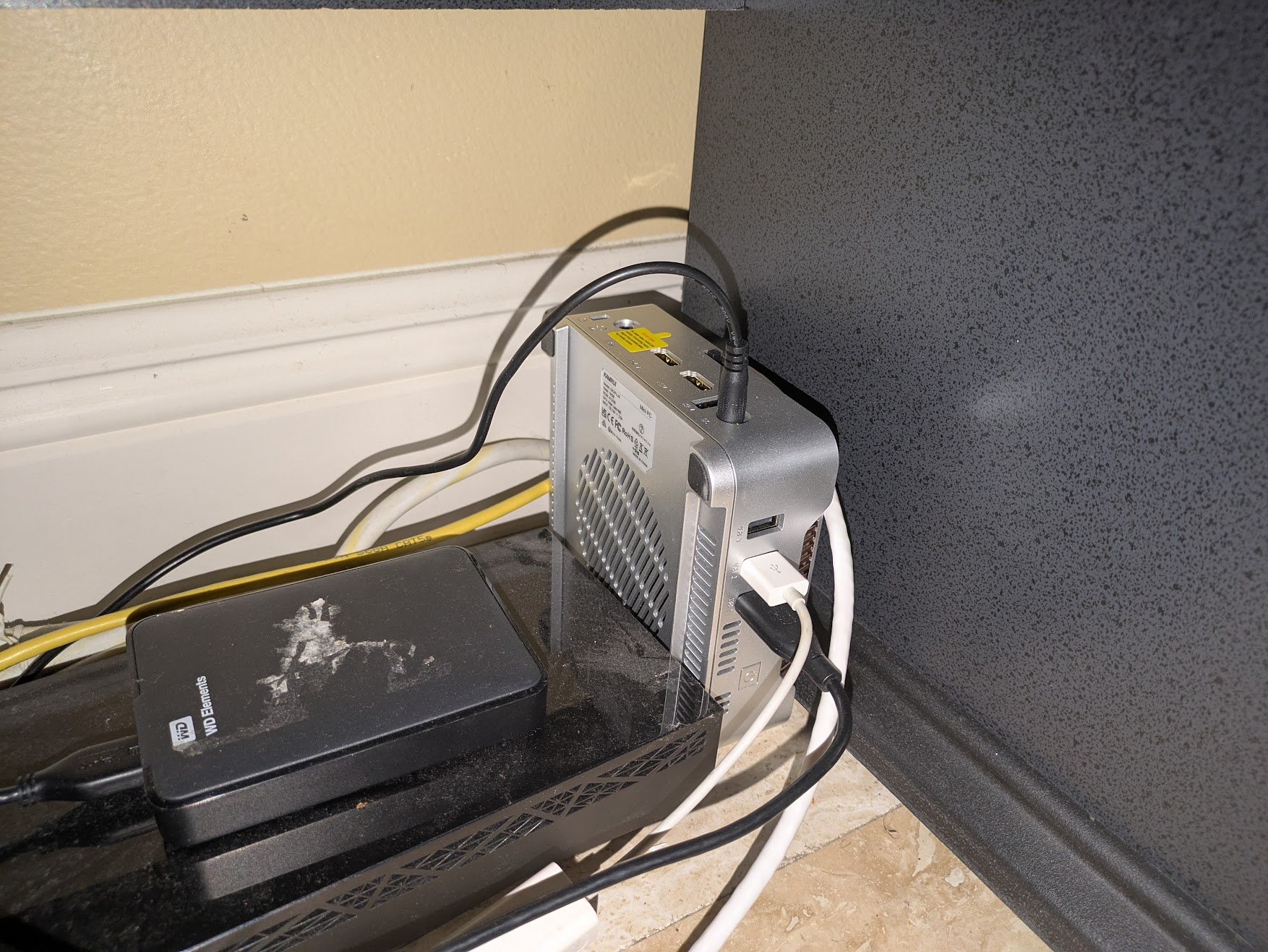
it’s a mini pc, standing sideways, with a USB to ethernet adapter and USB HDD

How can you hear the DJ tunes over the server fans?
Can’t hear either over my tinnitus
Same. Thirty years later and I still have it D:
Man, GTFO with that hot mess… I’m jealous really. I’m getting a chub just thinking about it.
I remember looking at Sysracks racks a while back when I was trying to find sound-absorbent enclosed racks (which they do make, though I didn’t get one; wasn’t willing to pay for it, as they come at a very large premium). They were one of the very few companies making them. I don’t think that those particular ones are the sound-absorbent models, but their name stuck in my head.
I got this because it’s almost fully enclosed. Most of the noise comes from an open rear door which this doesn’t have, and an open front door which this sort of has. It’s not very loud when the hvac is set to a reasonable level, even though it’s pulling air through 4 fans on the top.
I have additional sound deadening material if I need to apply it but I’m not there yet.
I’m eyeing 3-5 more 1U servers though so maybe I’ll need to do it.
I have additional sound deadening material if I need to apply it but I’m not there yet.
That’s probably a pretty good idea in terms of cost. I checked earlier when I made the comment to see what the price difference these days was, and IIRC a non-isolated 18U is ~$800 and an isolated 18U is ~$1800. They aren’t putting anything like $1k of sound-absorbing material into the rack.
Is this the “before” shot? There’s 190 spare ports. I’m all for leaving room to expand, but that’s a lot
Unpowered free 48 port switches are cheaper than block off plates.
Can’t argue with that!
So clean, I’m jealous
Oi thats too clean for this thread. Get out of here! /s Nice setup.
Business in front…