

Hello,
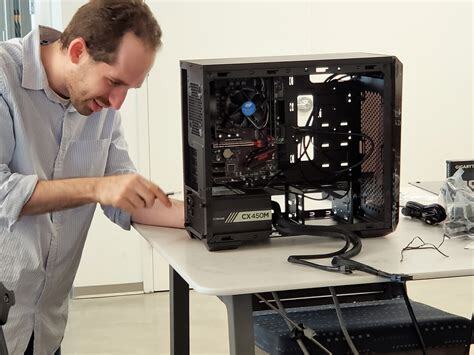
I’m finally building my PC. This is a budget build for 1080p (split), 1440p games and some 4k. I’ll be only using Linux.
I want to quickly run through you and let me know if the parts are compatible and it’s a good fit.
My budget is 150K 170k 180k Rupees. (better perf with 15% more budget 9060xt->9070xt + 7600x->9600x (x version is cheaper) + quality upgrades to other components)
I’m buying all online from computertech (they have mostly the cheapest price)
Please let me know if you seen any red flag with following build or any suggestions.
Thank you for your time.
Current Setup (will buy these in ~10 hours from this edit) PCPriceTracker Build
Edit Update(older):
[PCPriceTracker Build](https://pcpricetracker.in/b/s/2bd77dd8-0013-4c05-ae5e-ed917c743d51)

Category|Selection|Source|Price
:----|:----|:----|----:
**Processor** | [AMD Ryzen 5 7600X Desktop Processor](https://pcpricetracker.in/products/84870a3207bcc79d28b32a01082f8ca0) | Computech Store | 17844
**Motherboard** | [Asus Prime B650M-A WIFI II Motherboard (AMD Socket AM5/Ryzen 7000 Series CPU/Max 192GB DDR5 7600MHz Memory)](https://pcpricetracker.in/products/581945e4625a75f54af69666376d002d) | Computech Store | 14199
**Graphic Card** | [Asrock AMD Radeon RX 9070 XT Steel Legend 16GB](https://pcpricetracker.in/products/6e1e9a59ed4dcc4f731fa31a76920965) | Computech Store | 69499
**Power Supply** | [DEEPCOOL Gamer Storm PN850M 850W 80 Plus Gold Fully Modular ATX 3.1 Power Supply](https://pcpricetracker.in/products/d9ddc87e6a64337c47ccdc28200e4747) | Computech Store | 7499
**Cabinet** | [Deepcool Cabinet CG580 White Mid Tower, ATX, 360mm-Radiator Support, R-CG580-WHNDA0-G-1](https://pcpricetracker.in/products/7e40d5edf428f820cd79e1881e78e5cf) | Computech Store | 4699
**Memory** | [G Skill Ripjaws M5 RGB 32GB (2 x 16GB) DDR5 6000 MHz CL36](https://pcpricetracker.in/products/ee06a7c6e4e8ec4785cd6a64090a6899) | Computech Store | 36999
**Additional Memory** |  |  |
**Hard drive** |  |  |
**SSD drive** | [Adata Legend 710 PCIe Gen3 M.2 NVMe 1TB SSD](https://pcpricetracker.in/products/7c56bb2eca1f60ddd7884c7ef2e356a9) | Computech Store | 15999
**Additional SSD** |  |  |
**Monitor** |  |  |
**Additional Monitor** |  |  |
**CPU Cooler** | [DeepCool AK400 Digital CPU Cooler White (R-AK400-WHADMN-G)](https://pcpricetracker.in/products/866eba9dc9b1e6e37d77d4af5f52eb3a) | Computech Store | 3855
**Keyboard** |  |  |
**Mouse** |  |  |
**Headset** |  |  |
**Case Fans** |  |  |
| | **Grand Total** | **INR 170593** |
Older build (9060xt) PCPriceTracker Build
Habe you noticed how expensive SSDs have become? I’d say a RAID system is off the table for the time being.
Not to mention largely unnecessary single drives have a life span of like…a decade
HDDs and SSDs can just drop dead at any time. It’s not a good idea to have no backup if you only have 1 drive in your pc.
I wouldn’t go raid, but I’d be using a cloud backup or an external drive backup.
I guess it depends on what you use your computer for. If you’re only doing web browser related surfing and gaming, not a lot of need for it. If you have delicate files that aren’t replaceable and aren’t backed up already via a cloud service, sure, definitely a good idea to setup a RAID. Have a full blown media server? Yeah, you’d want a RAID. My thing is recommending a RAID to someone that is literally building their first computer is elitist and not being considerate of the person’s skill level or understanding of PCs.
I wouldn’t bother with raid for a personal pc, but I do have everything important somewhere that does have raid and backups
last time i checked, and this was ages ago, you’d never use hardware raid in linux but almost always set up your own software raid. dm-raid, zfs, lvm, mdadm. but maybe times have changed, but i certainly would prefer some open solution to some proprietary one. might have less impact when using raid-1 only.
If you were using any other form of RAID across multiple drives, you would be absolutely correct.
Simple mirroring? From what I have seen, that’s better done as HW RAID. There is no need to introduce software latency into a mirror RAID, and no benefit from file systems in a mirror.
And finally: how often are you going to be moving any boot drive from one system to another? I have been working with computers since 1982 and in the IT industry since 1997, and I have done this - for myself - a grand total of once. In every other case, I have wanted to use a newer or better drive in the new system, or wanted to re-do the install because reasons.