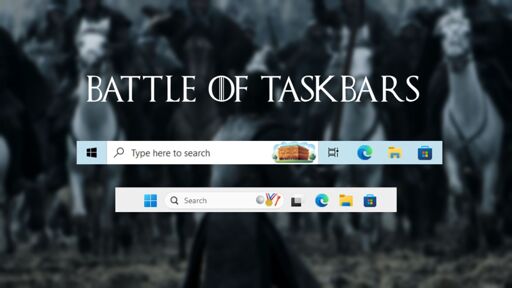
They forgot my number 1 frustration when talking about combined buttons and labels.
Up to win10 you could choose never combine, do not show labels.
Some software i use for work requires multiple windows to be open and different types of subwindows have separate icons in the taskbar when they are not combined as one.
In windows 11, there is not even a registry hack for this, i need to install some dodgy third party software to get it back.
I wouldn’t exactly call ExplorerPatcher dodgy.
TL;DR
If you want a fast, lean, highly customizable taskbar with no AI layer on top of it, Windows 10 still edges it out in some real-world moments. If you are comfortable with where Windows 11 is headed, the gap has closed enough that it is no longer a reasonable argument for staying on an OS that Microsoft stopped supporting.
I’ve been running tiny11, with all the ai BS stripped out. I’ve moved the start menu back to the left side. I’ve also restored the win7 style context menu. With these three changes, it’s basically win10 but with security updates.
I didn’t want win 10, I wanted win 7, so I had to switch to Linux. Windows went downhill with 8 and never got better, they doubled down on dumb decisions
Valid response!
Any problems so far? I’m trying to convince wifey that something needs done to our last win10 pc, but she absolutely refuses to let me linuxify it.
Is the wifey against Windows 11 or is it just you
She doesn’t want win11 nor 10, but she isn’t ready for the commitment it would be to learn Libre Office etc that she needs for work.
For office stuff, have you checked out Onlyoffice? It’s better compatible with microsoft office and has a more familiar and intuitive ui. Though it depends on how advanced her work is
No problems. Not having Edge by default means you’ll need to find a way to install firefox (I used a flash drive), but that’s just a minor inconvenience.
I’m running the same setup on all the lab computers at work, no issues there either!
Nice 👌yea not having edge is a loss I’m willing to take.
I don’t know why, but even after moving to Linux where I could have still had a Taskbar, I’ve gone to an auto hide dock instead.
Maybe that’s a reaction to the task bar getting more cluttered over the years.
I wonder about the gripe of having to go to settings to make changes to the taskbar. Are there really folks resizing or repositioning their taskbars on a day-to-day basis?
In my case, I haven’t really been bothered by most of the Win11 taskbar gripes. I strip my Taskbar down to be somewhat minimalist, only showing the start menu button and whatever apps are currently open on a given window. It’s something that I set up once after OS install and then never really touch again. The only option I miss is having all system tray icons show all the time - in Windows 11, that can only be manually managed so when an app updates it defaults into the tray’s submenu.
Having the start menu be nothing more than a set if pinned apps and then alphabetical list of everything is great and aligns with how app menus are structured on mobile devices, not that I tend to engage with it much. My engrained habit at this point is to press the windows key, first three letters of the app I want to open, and then enter.
Get linux already
Here are my (top) bars/menus on KDE and Windows 11. For Windows I’m using Start11 and the ‘FluentFlyout’ widget, as well as a debloat script for getting rid of the old one with various garbage. On KDE (Cachy), the note on the right is because I can never remember Pacman flags. I’m more used to apt and dnf.

As a top-bar person, Win11 loses, automatically. Even the registry shenanigans didn’t work. I have top-bar on everything except my work laptop -__-
From the linked article:
After five years of waiting, Microsoft has now shipped the ability to reposition the taskbar in Windows 11. Both OSes now support the same four positions: Bottom, Top, Left, and Right.
It’s like Microsoft doesn’t understand why people pick Windows over Mac OS.
fuck a taskbar - waste of real estate
I prefer a taskbar affixed to the desktop level and using a launcher for everything is all